MADRID


1
ลงทะเบียน
เปิดบัญชีจริงและเริ่ม เทรดได้ภายใน ไม่กี่นาที
เฝ้าออเดอร์ผ่าน Mobile App ที่ซิงค์ข้อมูล Real-Time 100% แจ้งเตือนเข้ามือถือทันที เมื่อกราฟแตะระดับนัยสำคัญ
 MT5 สำหรับ Android

 ติดตั้ง MT5 ด้วย APK
 MT5 สำหรับ iOS
ปลดล็อกความสามารถสูงสุดของ MT5: รองรับ Multi-threading เพื่อรัน EA หลายตัวพร้อมกัน ไม่หน่วง พร้อม 21 Timeframes และเครื่องมือ DOM
 MT5 สำหรับ Windows
 MT5 สำหรับ MacOS
เข้าถึงตลาดผ่าน Web Browser ทุกยี่ห้อ ไม่ต้องติดตั้งโปรแกรม แต่ยังคงความปลอดภัยระดับสูง
 เปิด MT5 ผ่าน Web Terminal

ยกระดับกำไรของคุณด้วยการเข้าถึงสภาพคล่องจากธนาคารชั้นนำทั่วโลกผ่านบัญชี PRIME ECN ที่ออกแบบมาเพื่อการเทรดบน MT5 โดยเฉพาะ มอบค่า Spread เริ่มต้นที่ 0.0 pips พร้อมความเร็วในการส่งคำสั่งระดับมิลลิวินาที และค่าธรรมเนียมที่ช่วยคุณคุมต้นทุนได้แม่นยำในทุกกลยุทธ์

หลังจากที่คุณเปิดบัญชีกับ Moneta Markets คุณจะได้เลขบัญชีและรหัสผ่านทางอีเมล จากนั้นเพียงดาวน์โหลดไฟล์ติดตั้ง MT5 บน PC/Mac หรือมือถือ แล้วเลือก Server: MonetaMarkets-Live เพื่อเข้าใช้งานทันที อ่านต่อ: คู่มือใช้งาน MetaTrader 5 สำหรับมือใหม่
เนื่องจากโครงสร้างฐานข้อมูลและเซิร์ฟเวอร์ของ MT4 และ MT5 แยกออกจากกันโดยสิ้นเชิง หากต้องการใช้งาน MT5 คุณต้องเปิดบัญชีใหม่ประเภท MT5 ผ่านหน้าเว็บของโบรกเกอร์ก่อน จึงจะได้ ID และ Password ชุดใหม่มาใช้งาน
ปัญหานี้เกิดจากบัญชีของคุณเป็นแบบ Netting Mode (ระบบหักลบกลบหนี้) ซึ่งเป็นค่าเริ่มต้นของ MT5 ในบางตลาด หากต้องการเปิด Buy และ Sell พร้อมกัน (Locking/Hedging) คุณต้องตรวจสอบตอนเปิดบัญชีว่าเลือกเป็นประเภท Hedging Account หรือแจ้ง Support ของโบรกเกอร์คุณให้ช่วยเปลี่ยนประเภทบัญชี
เทรดได้ครับถ้าโบรกเกอร์ที่คุณใช้งานเปิดให้บริการ ปัจจุบันโบรกเกอร์ต่างชาติหลายเจ้าให้บริการเทรด CFD หุ้นไทย และดัชนีผ่าน MT5 ส่วนโบรกเกอร์ของไทยบางแห่งเริ่มให้บริการเทรด TFEX ผ่าน MT5 แล้ว แนะนำให้ตรวจสอบที่หน้า Product Specification ของโบรกเกอร์เพื่อประกอบการตัดสินใจ
MT5 รองรับการเทรด 24 ชั่วโมง 7 วัน หากโบรกเกอร์ของคุณเปิดให้บริการเทรดคริปโตฯ เช่น BTCUSD, ETHUSD คุณสามารถเทรดและดูกราฟต่อเนื่องในช่วงวันหยุดสุดสัปดาห์ โดยที่กราฟจะไม่หยุดเดินเหมือนตลาด Forex ปกติ
เพราะโค้ดต่างกัน MT4 ใช้ mql4 ส่วน MT5 ใช้ mql5 ซึ่งเป็นภาษาเชิงวัตถุ (OOP) ที่ซับซ้อนกว่า คุณไม่สามารถนำไฟล์ข้ามรุ่นมาใช้ร่วมกัน วิธีแก้คือต้องหาไฟล์เวอร์ชัน .ex5 หรือจ้าง Programmer แปลงโค้ดใหม่ทั้งหมด
MT5 มีระบบ STRATEGY TESTER ที่เหนือกว่าด้วยฟีเจอร์ Multi-currency Testing ทำให้สามารถทดสอบ EA ที่เทรดหลายคู่เงินพร้อมกัน นอกจากนี้ยังรองรับ mql5 Cloud Network ที่ช่วยดึงพลัง CPU จากเครือข่ายทั่วโลกมาช่วยประมวลผล ทำให้การทดสอบย้อนหลัง เสร็จเร็วกว่าเดิมหลายเท่าตัว
ใน MT5 คุณไม่ต้องลงอินดิเคเตอร์เพิ่มเหมือน MT4 เพียงแค่คลิกขวาที่กราฟ เลือก Timeframes > Minutes หรือ Hours คุณจะเห็นตัวเลือก TF ที่ซ่อนอยู่รวมทั้งหมด 21 รูปแบบ เช่น M2, M3, M4, M6, H2, H8, H12 ให้เลือกใช้งานทันที
การใช้ Depth of Market (DOM) หรือหน้าต่างความลึกของตลาด ใน MT5 ช่วยให้เทรดเดอร์เห็นปริมาณคำสั่งซื้อขายในแต่ละระดับราคาได้แบบ Real-time ซึ่งสร้างความได้เปรียบดังนี้:
● ดูแรงซื้อแรงขาย ช่วยให้เห็นว่ามี Big Lot วางขวางอยู่ที่ราคาไหน
● Scalping ช่วยให้เข้าออเดอร์คมขึ้น โดยเลือกเข้าในจังหวะที่มี Volume หนาแน่นเพื่อลด Slippage
● One-click Trading สามารถคลิกวางออเดอร์ Buy/Sell หรือตั้ง Stop Loss/Take Profit ได้โดยตรงจากหน้าต่าง DOM
วิธีเปิดใช้งาน คลิกขวาที่กราฟราคา หรือกดปุ่ม Alt + R เพื่อเปิดหน้าต่าง DOM ของคู่เงินนั้นๆ
การตั้งค่าแจ้งเตือนจากคอมพิวเตอร์เข้ามือถือ (Push Notification) ใน MT5 มี 2 ขั้นตอนหลัก ดังนี้
ขั้นตอนที่ 1: ตั้งค่าที่แอป MT5 ในมือถือ
1. เปิดแอป MT5 ในมือถือ > ไปที่ Settings > เลือก Messages
2. จดหมายเลข MetaQuotes ID (เลข 8 หลัก) ไว้
ขั้นตอนที่ 2: ตั้งค่าที่โปรแกรม MT5 ในคอมพิวเตอร์
1. ไปที่เมนู Tools > Options > แท็บ Notifications
2. ติ๊กถูกที่ช่อง "Enable Push Notifications"
3. กรอกหมายเลข MetaQuotes ID ที่จดมาลงในช่อง แล้วกดปุ่ม Test
4. หากมีข้อความเด้งเข้ามือถือ แสดงว่าเชื่อมต่อสำเร็จ
หลังจากเชื่อมต่อแล้ว คุณสามารถสร้าง Alert ในแถบ Alerts ของหน้าต่าง Toolbox โดยเลือก Action เป็น "Notifications" เพื่อให้ระบบแจ้งเตือนเมื่อราคาไปถึงจุดที่กำหนด
เปิดบัญชีจริงและเริ่ม เทรดได้ภายใน ไม่กี่นาที
เติมเงินในบัญชีของคุณ ด้วยวิธีการฝาก ที่หลากหลาย
เข้าถึงสินทรัพย์กว่า 1,000 รายการในทุกคลาสของสินทรัพย์


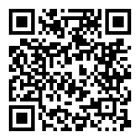
สแกน QR Code เพื่อเพิ่ม @monetamarkets และติดต่อเจ้าหน้าที่บริการลูกค้าส่วนตัวของคุณผ่าน LINE ได้ทันที


สแกน QR Code เพื่อติดต่อเจ้าหน้าที่ผ่าน Messenger